 ► Barcode Knowledgebase ► E-mail Settings ► Barcode Knowledgebase ► E-mail Settings
Working Procedure Screenshots:
Send Mail via E-mail Settings:
Click on Mail icon from above toolbar using Barcode Settings or Barcode Designing View, Send Mail window will be appear:
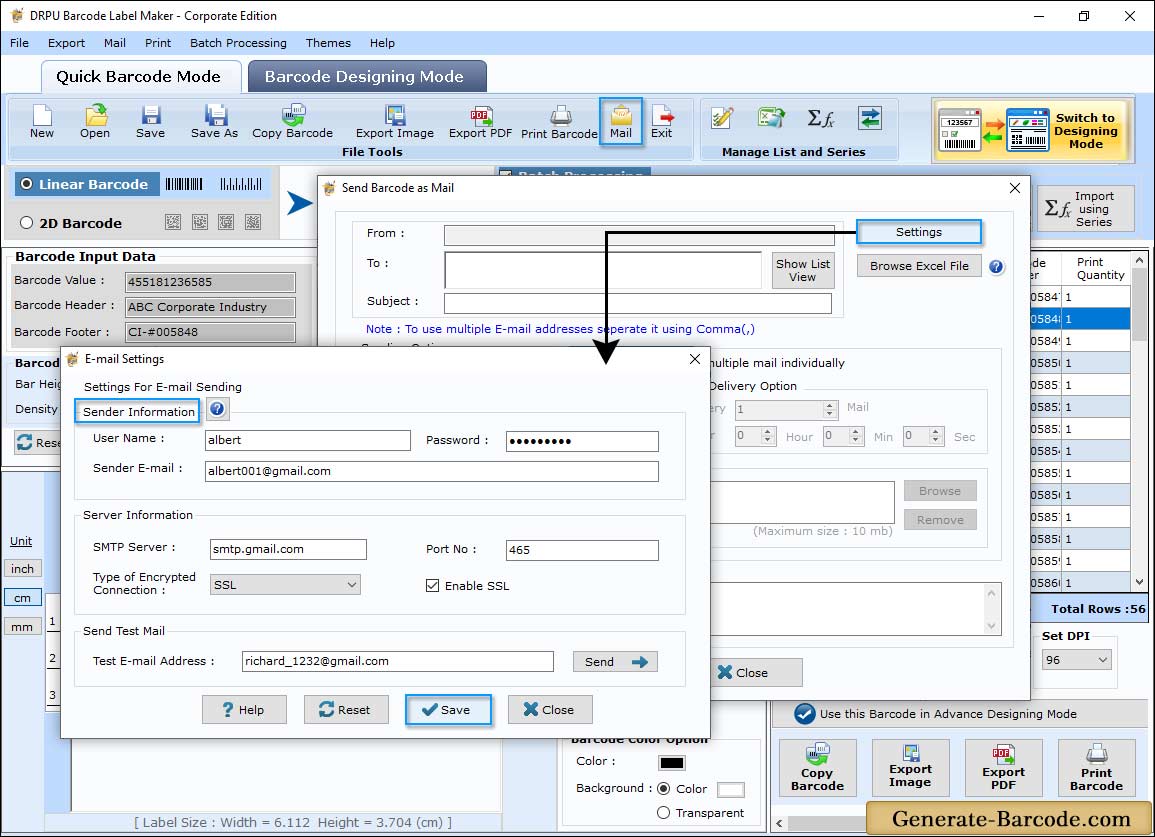
First you need to do Settings for E-mail sending as shown in above window. Specify Sender information and Server information to send mail at any E-mail address.
Enter Test E-mail Address and send test mail to check configured email settings and save all settings.
Send E-mail Settings:
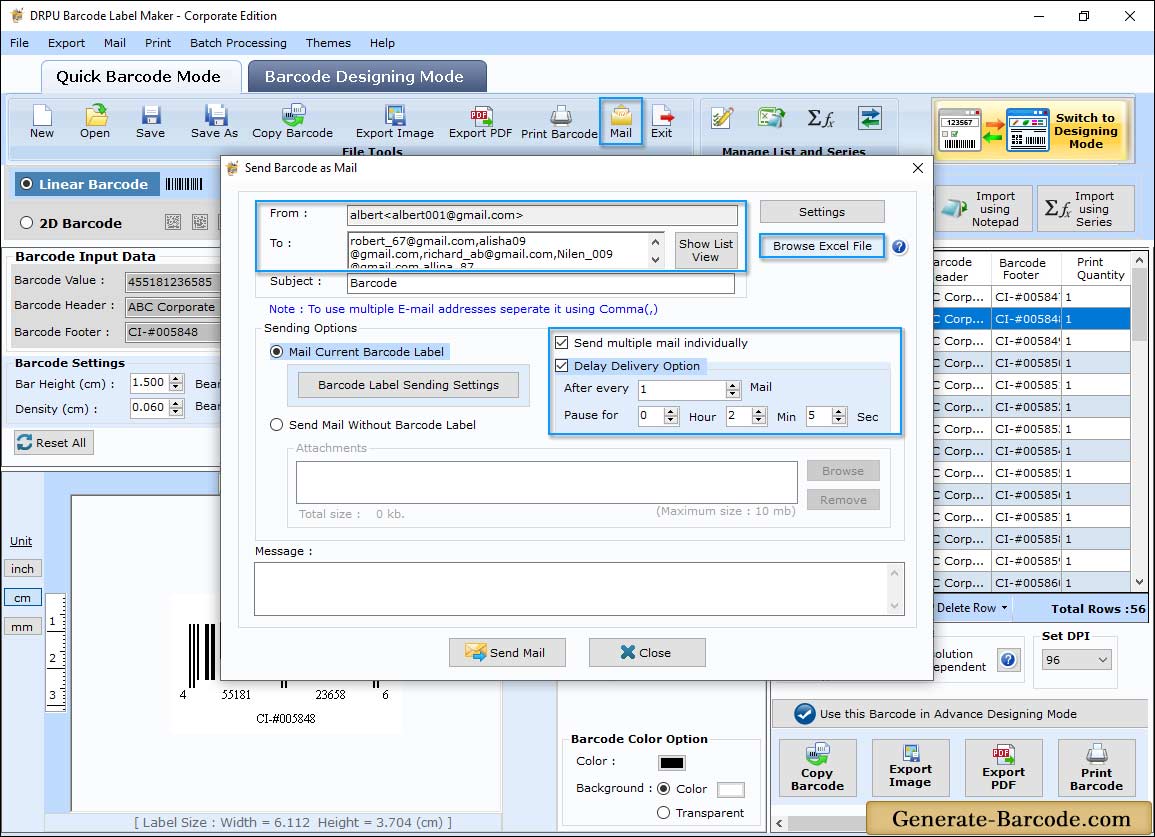
Enable Send multiple mail individually option to send multiple mail separately. Choose 'Delayed Delivery Options' checkbox with specifying the Number of mails and Time interval (hour, minute and second, if you want to delay or pause mail delivery at specific time interval).
Software has option to browse email address excel file to send a mail to multiple users or you can add recipient Email IDs manually (to use multiple email addresses, separate it using comma).
Barcode Sending Settings:
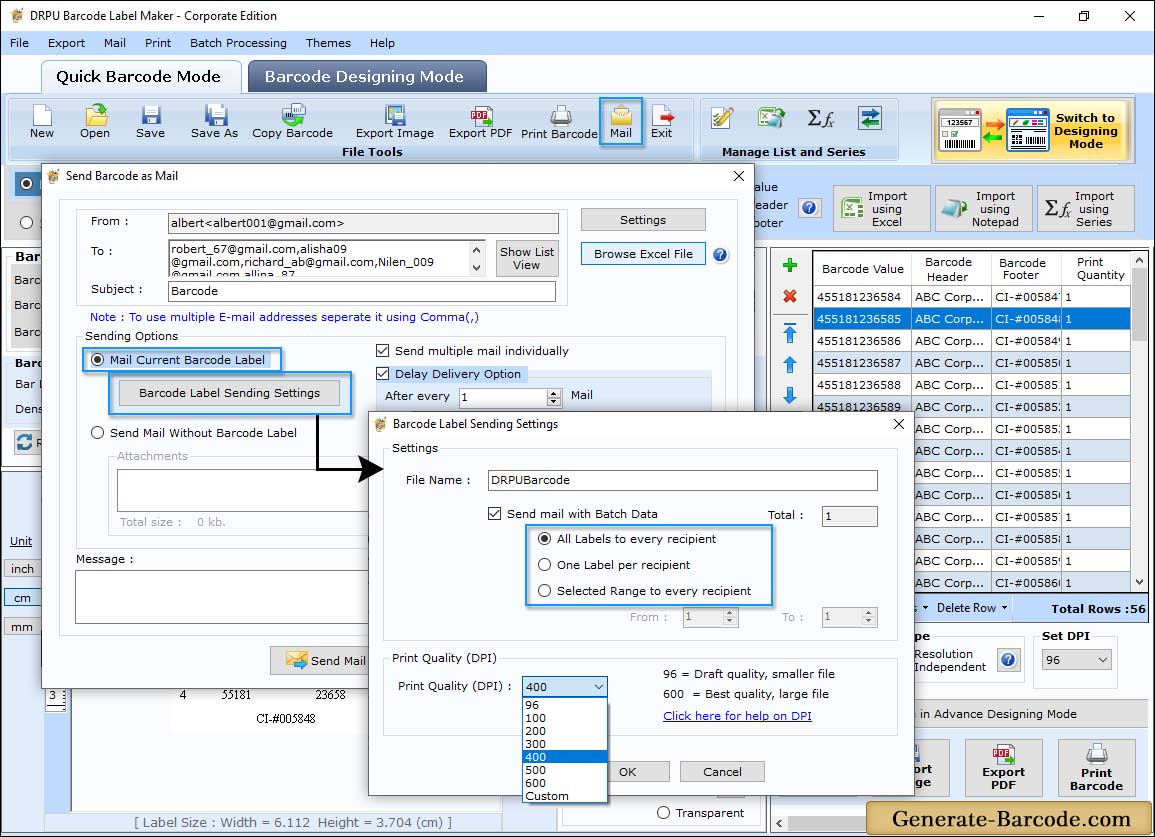
To send E-mail with batch processing series enable Mail Current Barcode option and click on Barcode Sending Settings button as shown in above screen.
Send mail either using All Barcode to Every recipient option if you need to send entire designed barcode to every email ID or One Barcode per Recipient option if you want to mail one barcode to corresponding email address. Choose Print Quality Option to select different DPI (Dot per Inch) for image printing.