
 ► Barcode Knowledgebase ► Batch Processing with Barcode Settings ► Barcode Knowledgebase ► Batch Processing with Barcode Settings
Working Procedure Screenshots:
Enable Batch Processing
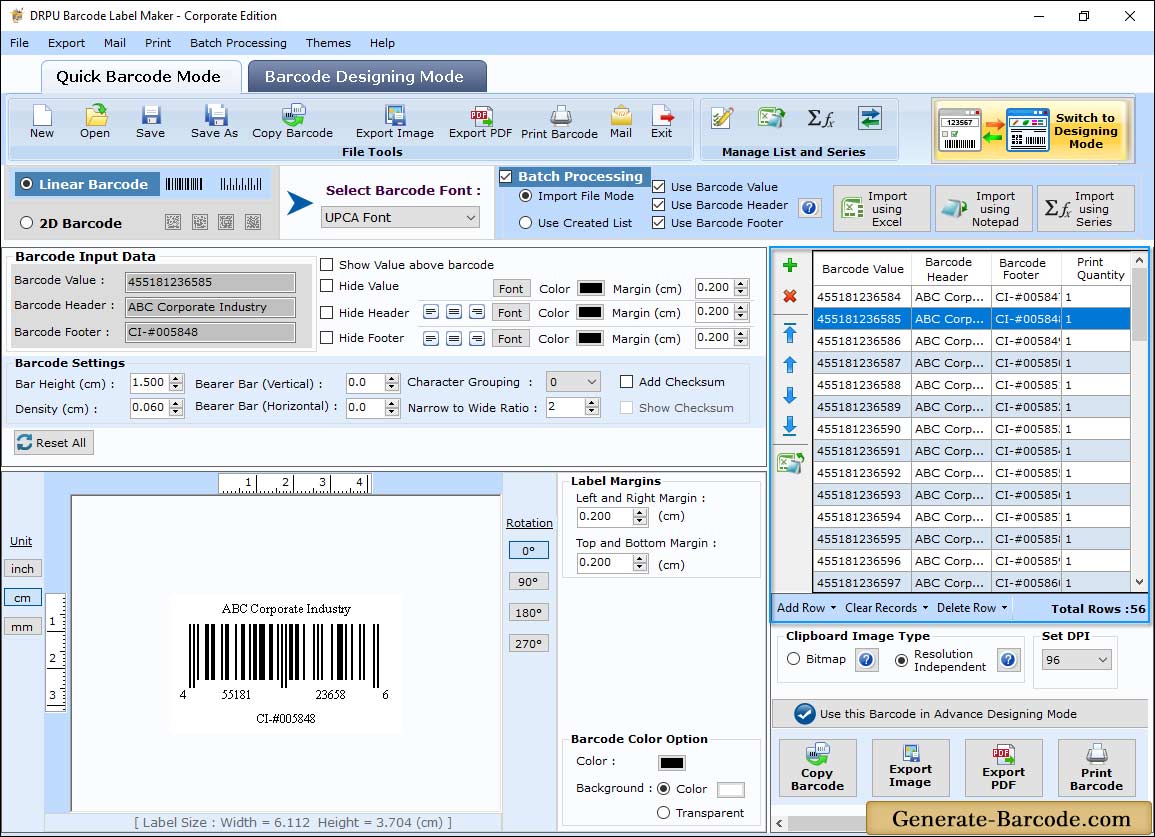
Business Label Maker software provides two barcode design modes, such as , "Quick Barcode Mode" and "Barcode Designing Mode"
✅ Using Quick Barcode Mode, you can design your own barcodes. First, select Barcode Technologies and Type.
✅ Enable Batch Processing You can choose a "Custom Data Sheet" or "Created Data List" option.
Generate List:
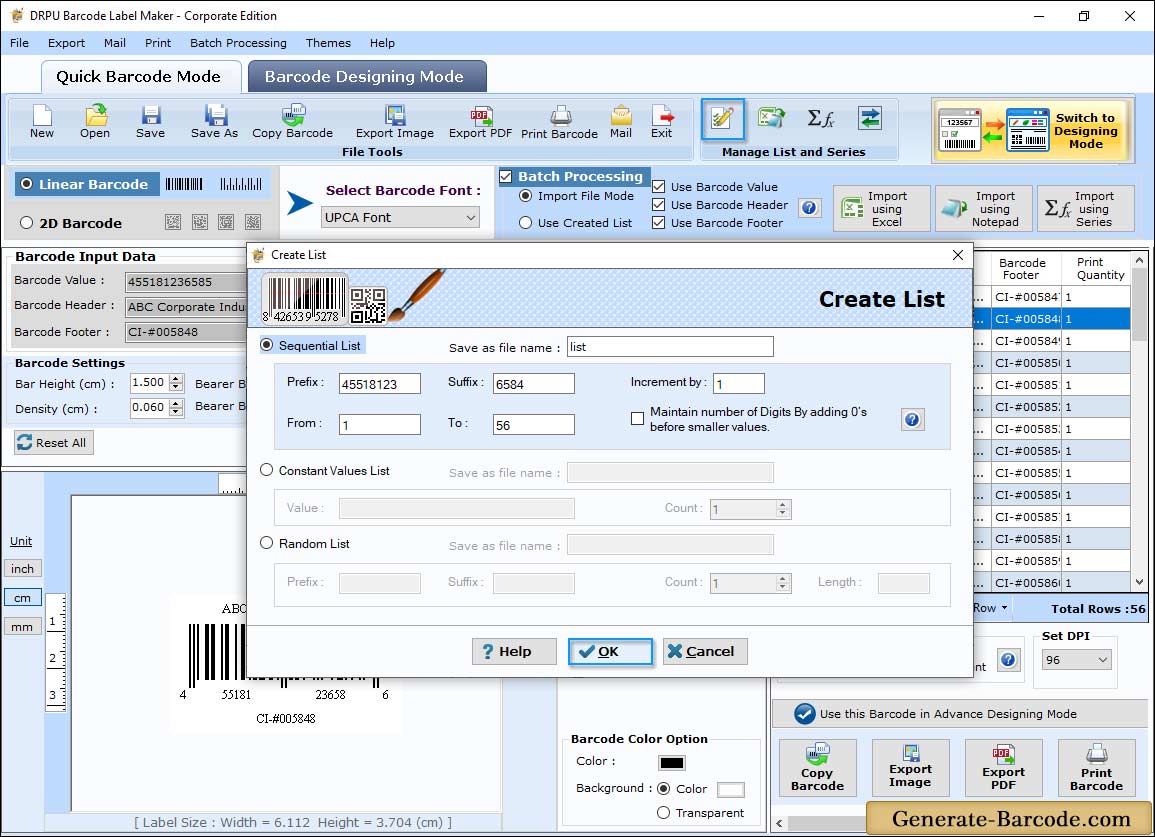
In Barcode Settings tab, click on create list icon from Batch Processing Settings:
✅ Select the Sequential Series option.
✅ Enter the Prefix value.
✅ Enter the range of sequential list as "From & To" (e.g. 1 – 75).
✅ Enter the Suffix value for Barcode Header, Barcode Footer and Barcode Value.
✅ Select the Constant Value Series option.
✅ Enter the Value (Barcode Header, Footer and Barcode Value).
✅ Enter the Count value (total number of Barcode Header, Footer and Barcode Value).
✅ Select the Random Series option.
✅ Enter the Prefix value.
✅ Enter the Count value.
✅ Enter Length (length of Barcode Header, Barcode Footer and Barcode Value).
✅ Enter the Suffix value.
Generated Data Sheet:
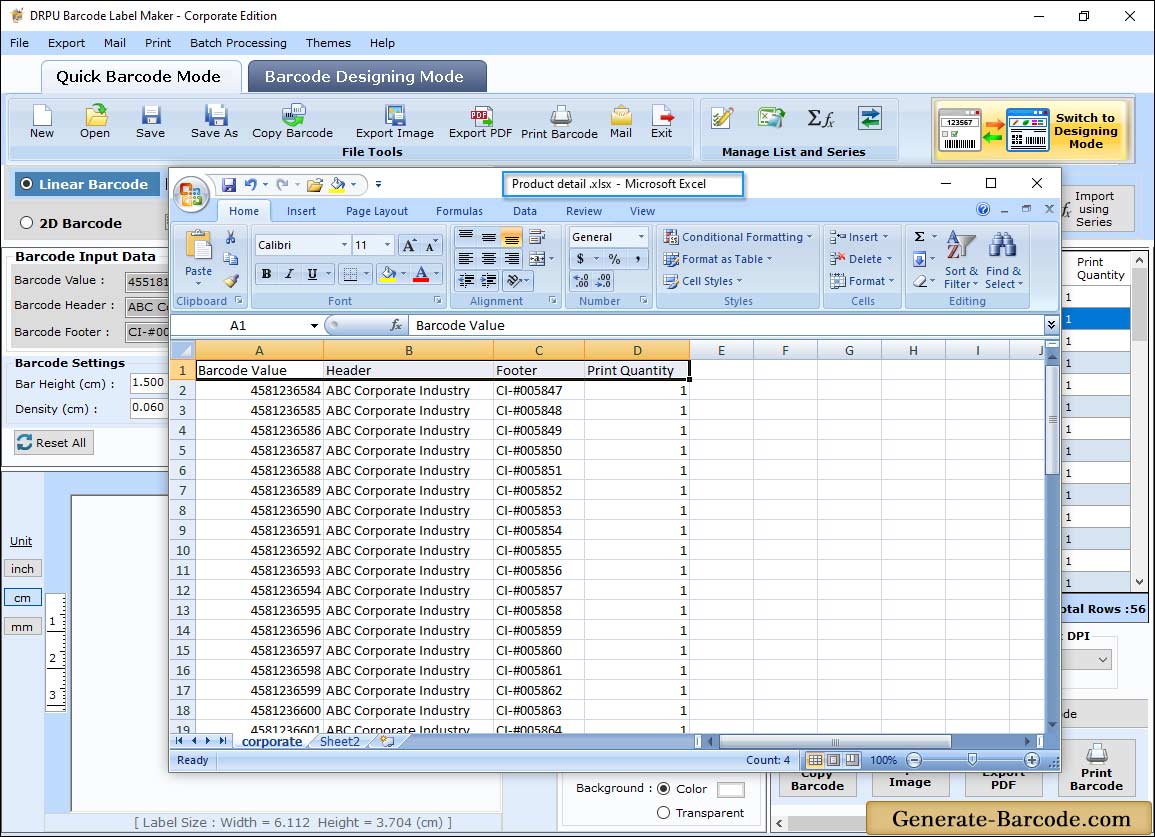
After creating barcode list, you can see created Data Sheet of Barcode value, Barcode header and Barcode footer. Now you can print, mail or export your created barcode list.
Save Data Sheet:
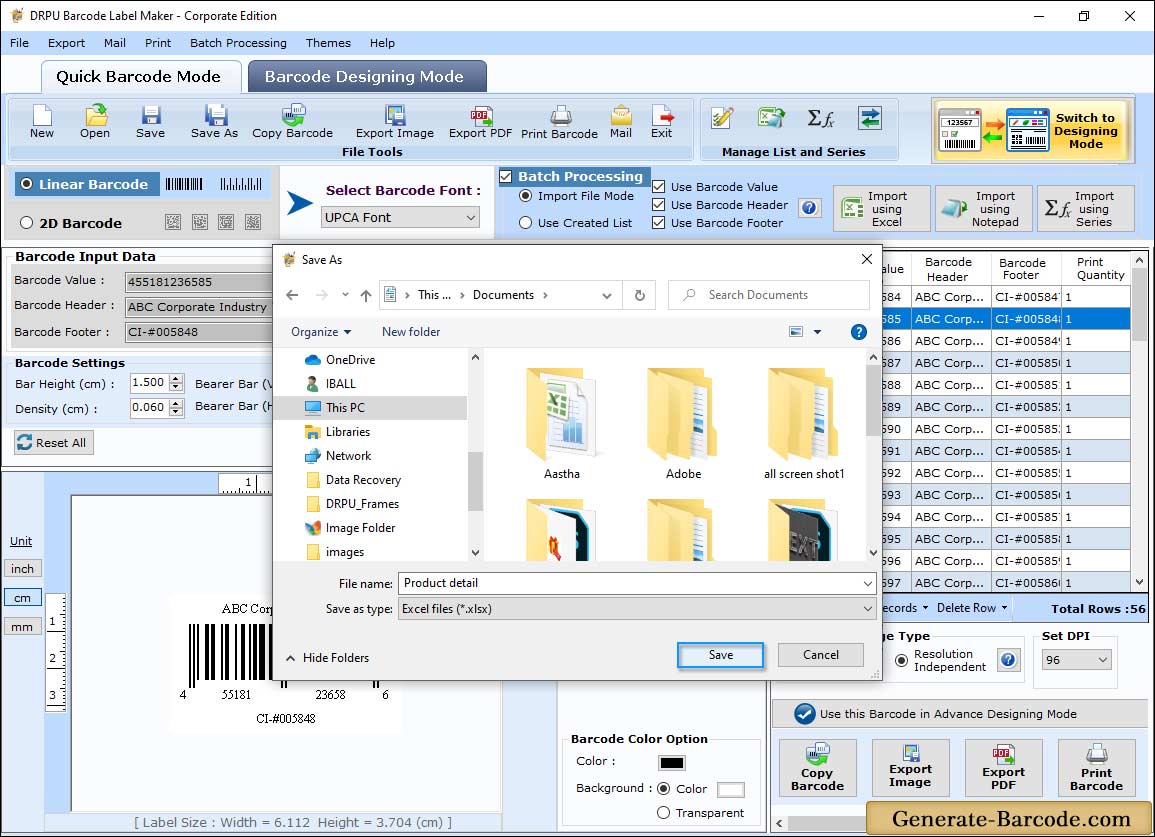
Click on Save icon from above toolbar (as shown in above screen) to easily export your created Batch Processing list in .xls and .xlsx file format for future usage.